

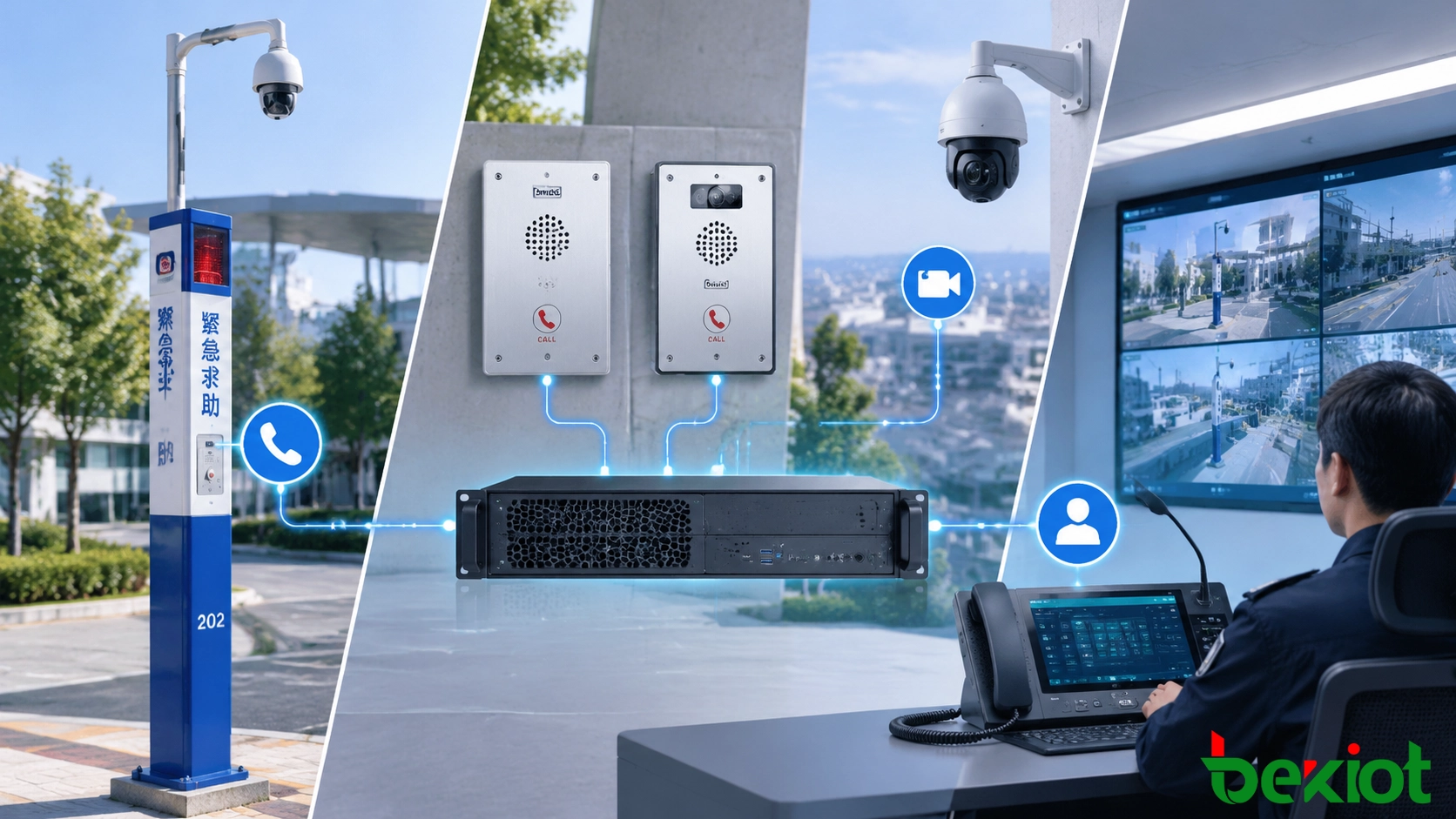
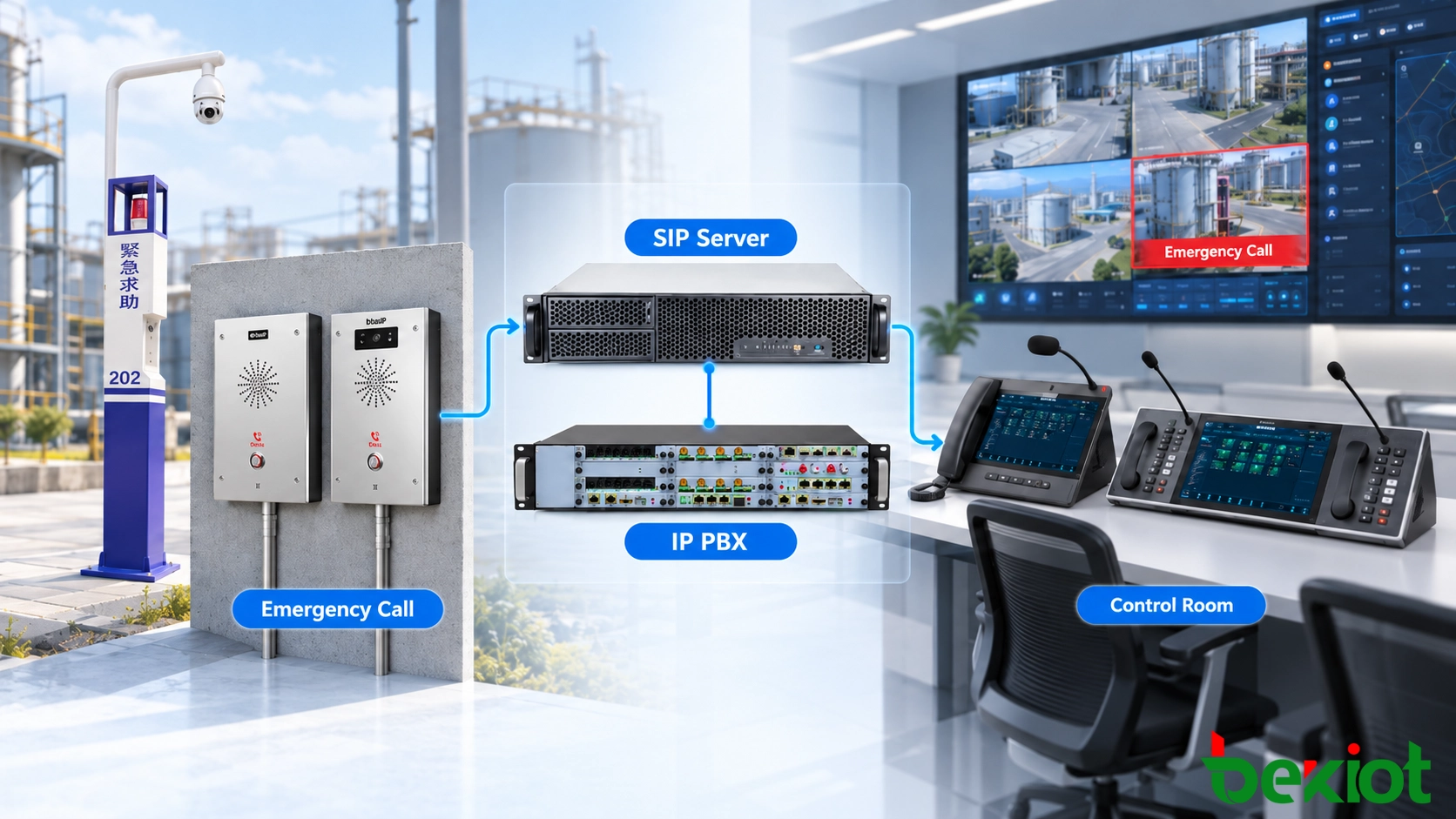
An emergency call from an industrial entrance is more useful when the control room can identify the entrance, speak with the caller and open the correct camera view. Achieving that result requires coordination between the intercom, call platform, video management system and alarm interfaces. Sharing an IP network does not create those relationships automatically.
The SIP intercom provides the voice endpoint. CCTV adds visual context, while alarm equipment supplies event information. A successful integration defines which component creates each event, how its identity is matched to a location, which operator receives it and what happens when one subsystem is unavailable. The aim is a usable incident workflow, with independently verifiable voice, video and alarm functions.
How SIP Emergency Intercoms Connect Different Security Systems
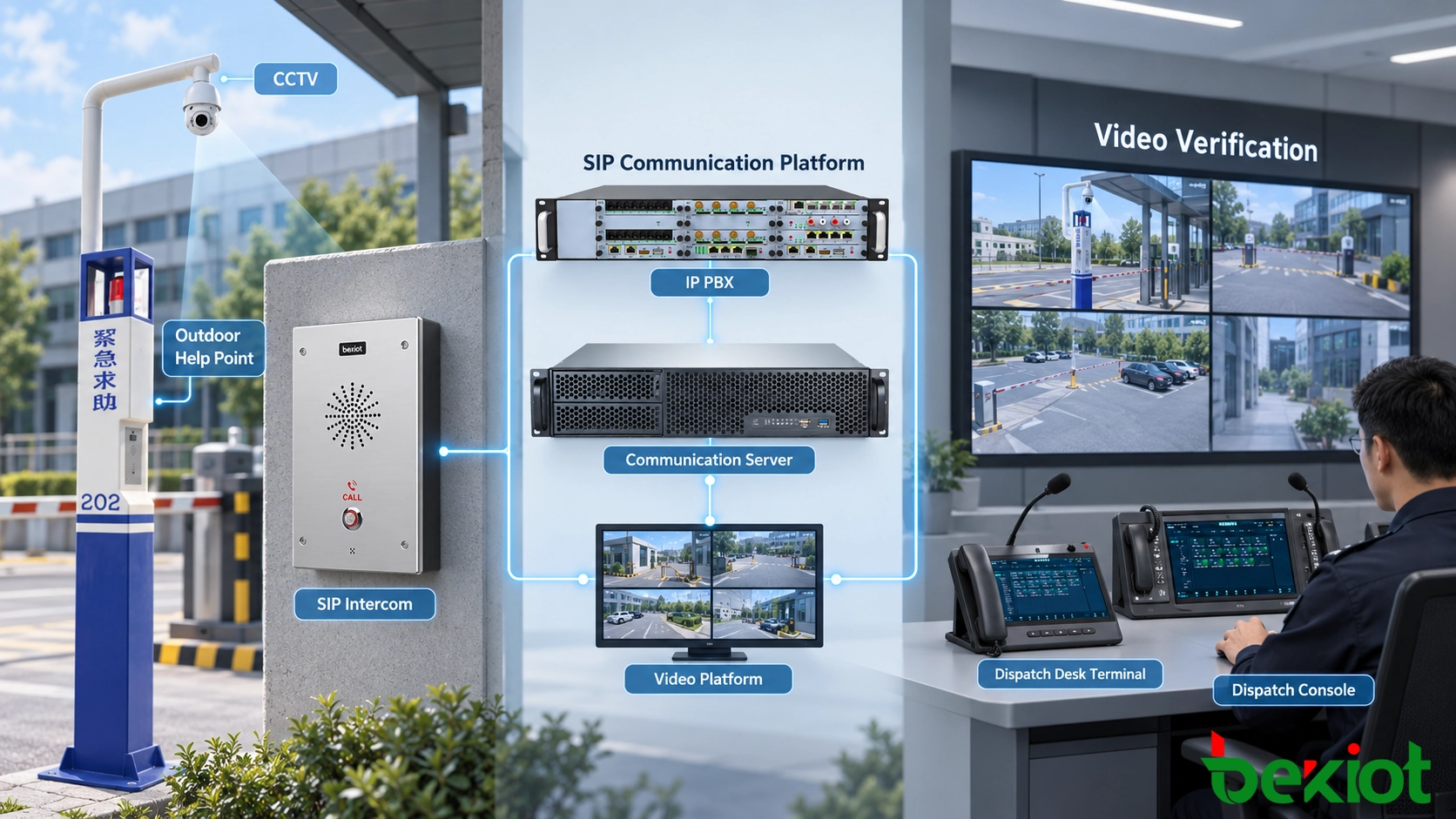
A typical architecture contains field intercoms, a SIP call platform or IP PBX, a video management system, alarm equipment and an operator interface. These are functional roles: one software product may combine several roles, while another project may require separate servers and a supported integration service.
| Function | Usual implementation boundary | What to verify |
|---|---|---|
| Button activation and voice | Intercom firmware and its SIP interface | Configured destination, audio capabilities and supported trigger inputs for the exact model |
| Call delivery and escalation | PBX or dispatch platform; sometimes endpoint rules | Routing ownership, response groups and behavior when no operator answers |
| Camera selection and display | Video platform, operator application or integration service | Camera mapping, viewing permissions and supported display actions |
| Alarm event exchange | Documented input/output interface, gateway or software API | Signal meaning, acknowledgment, reset and failure reporting |
| Incident correlation and records | Security or incident management application | Persistent incident identity, timestamps and links to call and video records |
RFC 3261, Section 2, defines SIP session signaling. It does not define a facility's camera-to-intercom database, alarm classifications or operator incident screen. Those are application functions. A SIP-compatible endpoint therefore needs separate confirmation of any claimed video, relay, alarm or platform interface.
For an industrial entrance, the association record might connect a verified endpoint identity to its SIP extension, location label, nearby cameras, alarm zone, response group and operating procedure. Treat that record as maintained configuration: moving a terminal or replacing a camera can invalidate an otherwise functioning integration.
Emergency Event Workflow from Detection to Operator Response
Event Generation at the Field Location
A person may press a help button, or an approved alarm interface may report a change of state. Decide whether the call platform, alarm platform or integration application owns the resulting incident. A button event and its associated SIP call should not unintentionally create two independent incidents.
For each source, record a stable device identifier, maintained physical location and event category. An extension or display name is useful for presentation, but the platform should resolve the source through a trusted account or interface mapping before applying privileged actions.
Event Processing and Resource Association
The integration service looks up the event source and requests the relevant resources: an operator destination, camera view and alarm context. An event record should distinguish when the trigger occurred, when the platform received it and which actions succeeded. Agree how repeated messages, a held input and reconnecting equipment will be handled so that retries do not repeatedly initiate calls.
Communication and Response Handling
The operator receives the call and location information, verifies the situation through conversation and uses available video to support the response. Accepting a SIP call, acknowledging an alarm and closing an incident are separate actions. Ending the conversation should not silently clear a continuing alarm condition.
Integrating SIP Emergency Intercoms with CCTV Video Systems
Camera Association and Location Mapping
Start with coverage, not just a camera identifier. A nearby camera may face away from the intercom, be obstructed at night or show a different entrance. Validate the operator's view from the actual help point under relevant lighting and operating conditions.
A useful mapping record contains the intercom identifier, location, primary camera, an alternate overview camera where needed, any supported PTZ preset and the owner responsible for maintaining the association. If a PTZ camera serves several locations, specify how competing requests and manual operator control are resolved. A preset request is not proof that the camera reached the intended position.
Video Verification During Emergency Calls
For a parking entrance, the operator might receive the help-point call while the video application opens its mapped entrance view. The call and video may arrive through different systems at different times. The interface should show when video is unavailable or stale, while allowing the operator to continue the voice response under the site's procedure.
Distinguish an intercom's own video call from an associated CCTV stream. A camera inside a video intercom may participate in a supported SIP multimedia session. A separate surveillance camera may instead be viewed through a video management client. Neither arrangement follows automatically from the other.
Video Protocols and Platform Compatibility
RFC 7826, Sections 2.2–2.5, specifies RTSP 2.0 session setup and delivery control, with RTP used for media delivery. RTSP is not a camera-to-incident mapping service. Confirm the actual RTSP version, media formats, authentication and transport supported by the camera and receiving application; the existence of RTSP 2.0 does not establish its availability on installed equipment.
ONVIF's profile definitions identify mandatory and conditional functions. Check the relevant profile, conformant product entry and implemented features for both device and client. A general ONVIF claim does not establish support for every event, PTZ action, recording function or SIP workflow.
Connecting Alarm Systems and External Security Platforms
Alarm Input and Event Triggering
An alarm can initiate a communication workflow when a documented endpoint input, gateway or platform interface supports that action. Confirm whether the terminal can originate a call from the input itself or whether an external application must request the call. A relay output is not interchangeable with an input, and a contact closure alone may convey less information than a software event.
For a process-alarm example, define what the output means, how the receiving interface recognizes it, which location is attached and whether the desired response is a notification, an operator callback or an automatically originated call. Electrical compatibility, isolation and permitted connections must follow the equipment documentation and the responsible engineer's design. Connecting to a life-safety alarm system must not impair its required functions.
Specify input restoration, acknowledgment and repeat-event behavior separately. The integration should distinguish an active alarm from a communication fault and should not infer that an alarm has cleared merely because an API connection has been lost.
Alarm Priority and Escalation Logic
General assistance, a security incident and an industrial safety alarm may need different response groups. These are local operating categories, not universal SIP priority values. Maintain the event-to-response mapping in the responsible platform and check that out-of-hours routing agrees with the duty roster.
Camera display order and alarm severity do not, by themselves, give a voice call access to a busy operator or trunk. Configure those communication policies separately using the distinctions in SIP intercom priority call configuration.
Integration with Security Management Platforms
A unified screen can combine calls, alarms and video through supported connectors or project-specific software. Document the API version, available events, authentication, licensing, error handling and responsibility for maintaining the connector. A custom integration should have an owner and a recovery procedure when credentials expire or either platform changes.
System Architecture and Deployment Considerations
Maintain separate requirements for voice, camera viewing and event delivery. Network segmentation, authorized access between segments, capacity planning and suitable traffic treatment can support the design, but no single VLAN or QoS setting proves that the overall response will work. Check power for the intercom, switches, servers, cameras and operator equipment, including the intended behavior during a power or network failure.
Call records, alarm history, operator actions and video recordings may reside in different systems. Use consistent time sources and an incident reference that can link the records. Confirm recording permissions, retention, access controls and retrieval: an event log is not an audio recording, and a camera display is not evidence that video was stored.
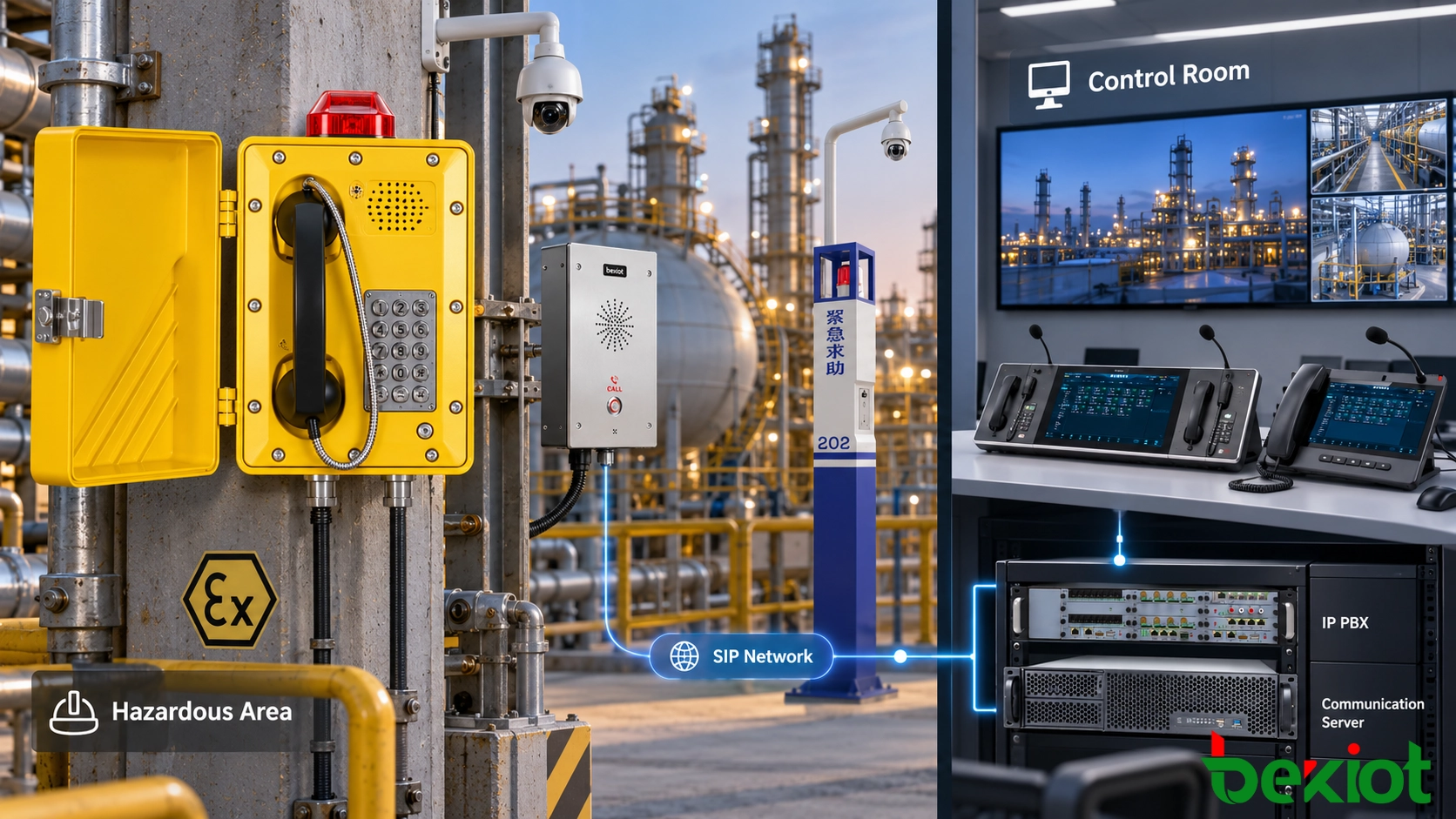
Industrial equipment selection also depends on dust, moisture, corrosion, temperature and any hazardous-area classification. For a Becke Telcom proposal, request the exact terminal documentation, supported interfaces and applicable certificates before accepting an integration or environmental claim. A product family name or illustration cannot establish suitability for a particular hazardous location.
Applications and Acceptance Checks
Transport help points benefit from camera views that distinguish the correct platform, tunnel location or parking entrance. Industrial and energy sites need maintained location records and suitable field interfaces. Campuses and public buildings need clear ownership between reception, security and duty teams. Distributed infrastructure sites also need a defined response when a remote link is lost. These are design scenarios, not reports of verified installations.
Acceptance should follow the operator's work, including degraded conditions. Record the observed result and agreed requirement for each of these checks:
Trigger each help point and verify the physical location, response group and camera view.
Raise and restore an authorized test alarm; confirm its meaning, acknowledgment and repeat-event behavior.
Generate simultaneous calls from different locations and check that video and alarm context stay with the correct incident.
Make the mapped camera unavailable; confirm a visible video fault and the intended voice response.
Interrupt the integration connection and restore it; check reporting, event recovery and duplicate suppression.
Retrieve the associated call, event and video records where recording is specified.
For the separate signaling and audio stages behind a button-initiated call, see the SIP emergency intercom call flow. Integration is ready for handover when the correct context reaches the operator and failures remain visible, not merely when all devices appear online.
FAQs
Can CCTV integration be added without replacing the intercom?
Possibly. An existing call platform may expose a supported event or call interface that can be mapped to cameras. Check that it identifies the originating terminal reliably and that the video system permits the required display action. The endpoint itself does not always need a camera or a video interface.
What should happen when two help points share one camera?
Keep both incidents visible and define camera-control ownership. If a PTZ movement for one incident would remove the other from view, provide an operator choice or an alternate camera where the design requires it. Test the competing-event case during acceptance.
Does recording the SIP call also save the associated CCTV video?
No. Audio and video recording may use different systems and policies. Confirm each recording function and how their records are associated with the incident, including access permissions and retention.
When should location and camera mappings be checked again?
Recheck them after endpoint replacement, extension changes, camera moves, PTZ preset edits, platform upgrades and changes to response responsibilities. Include periodic physical checks because a correct database entry cannot reveal a newly obstructed view.