

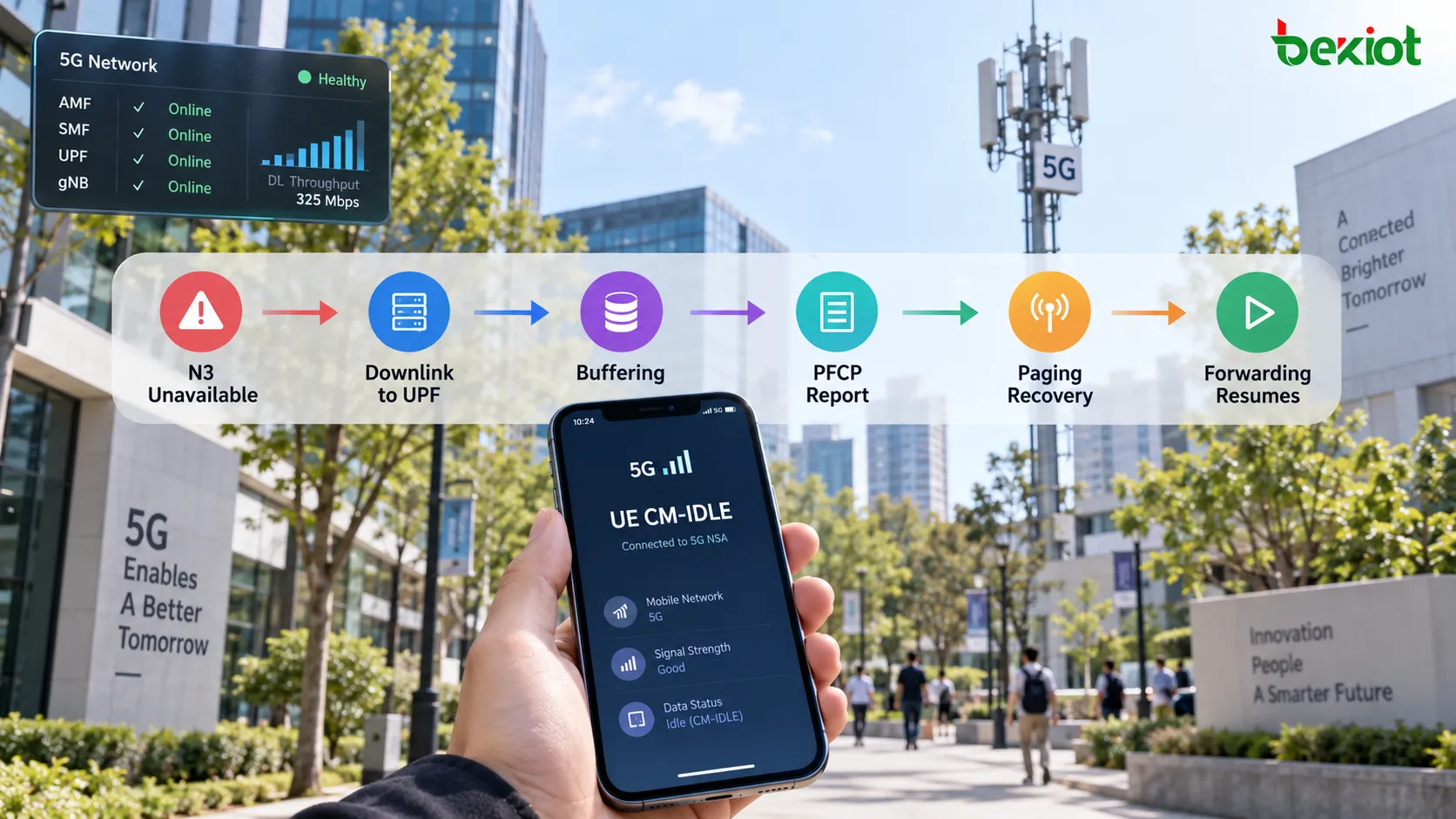
When a UE enters CM-IDLE over 3GPP access, an established PDU Session can remain while its user-plane connection is deactivated. Downlink packets may still reach the UPF from the data network over N6, even though the access-side N3 tunnel needed for immediate delivery is unavailable. Buffering can retain some of that traffic while the control plane attempts to restore delivery.
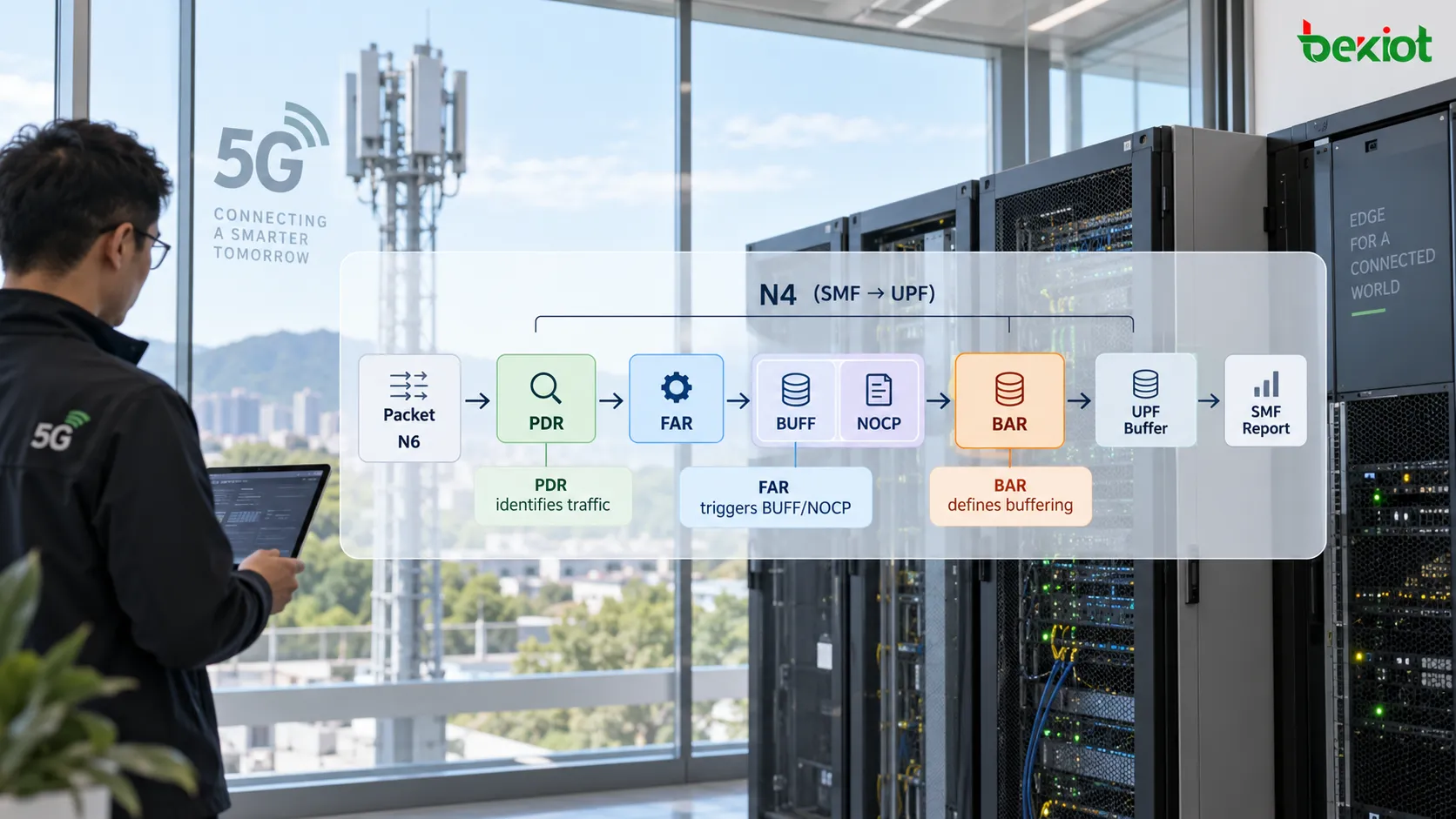
On N4, the SMF controls the UPF through PFCP. A Buffering Action Rule (BAR) supplies buffering instructions for associated Forwarding Action Rules (FARs). The distinction matters: the FAR selects buffering through Apply Action; BAR does not independently match packets or initiate paging. Nor does CM-IDLE guarantee that every packet will be buffered or that every notification will lead to paging.
PDR, FAR and BAR have different responsibilities
A Packet Detection Rule (PDR) identifies the applicable traffic and references a FAR. FORW requests forwarding using the applicable Forwarding Parameters. BUFF requests buffering. NOCP requests control-plane notification about the first buffered downlink packet; it is a notification action, not a memory-allocation parameter.
For the ordinary 5GC BUFF/NOCP case, the reporting scope is the first downlink packet for each QoS flow for a given FAR. Subsequent packets in the same QoS flow do not each require another report. Packets belonging to another QoS flow or associated with another FAR can produce additional reports. Extended buffering can change this notification behavior.
A FAR can reference BAR through BAR ID. One BAR can serve several associated FARs, including a shared buffer for the PFCP Session. In TS 29.244 V18.7.0, at most one BAR may be created per PFCP Session. Creating BAR alone does not prove that the downlink traffic uses it: inspect the PDR-to-FAR relationship and the FAR's BAR ID.
The underlying classification and forwarding stages are covered in the related guides to PDR packet detection on N4 and FAR forwarding and tunnel parameters.
What happens when downlink data arrives in CM-IDLE?
Consider a registered UE with an established PDU Session. While the user-plane connection is active, the UPF forwards downlink packets toward the gNB. When that connection is deactivated, the SMF updates the relevant N4 rules and access-tunnel information. For UPF-based buffering, the affected FAR can request BUFF and NOCP instead of immediate forwarding. This is a session-control decision, not an autonomous reaction by BAR to a radio-state change.
Downlink data reaches the UPF. The matching PDR and associated FAR determine how it is handled.
If instructed to buffer and notify, the UPF buffers the data and sends a PFCP Session Report Request containing a Downlink Data Report. The report identifies the relevant PDRs; the SMF can determine the QoS flow from the PDR context or Downlink Data Service Information.
The SMF acknowledges the report with a PFCP Session Report Response and, when applicable, contacts the AMF using Namf_Communication_N1N2MessageTransfer. The AMF can initiate paging and the Service Request procedure to restore the user-plane connection.
Once the access-side tunnel is established, the SMF updates the UPF with the forwarding action and the correct tunnel parameters. Buffered packets can then be forwarded according to the new instructions.
TS 23.502 calls the stage-2 exchange Data Notification and Data Notification Ack. In an N4 packet capture, use the actual PFCP message and Downlink Data Report names. Calling the whole exchange “DDN” is convenient shorthand, but does not make it an EPC Downlink Data Notification message on S11.
This sequence describes a common UPF-buffering case. TS 23.502 also permits forwarding data to the SMF for buffering when instructed. A UE can be CM-CONNECTED while a particular PDU Session lacks an active user-plane connection; RRC_INACTIVE is also distinct from CM-IDLE. Access type, MICO, extended idle-mode DRX, paging restrictions and known unreachability can alter or prevent paging. Examine the actual session and access state before applying an idle-mode explanation.
BAR fields must be read in their procedure context
The following distinctions follow TS 29.244 V18.7.0, clauses 5.2.4, 7.5.2.6, 7.5.4.11 and 7.5.9.2. BAR is not a universal container in which every possible buffer setting must appear on every N4 exchange.
| Field | Meaning and conditions |
|---|---|
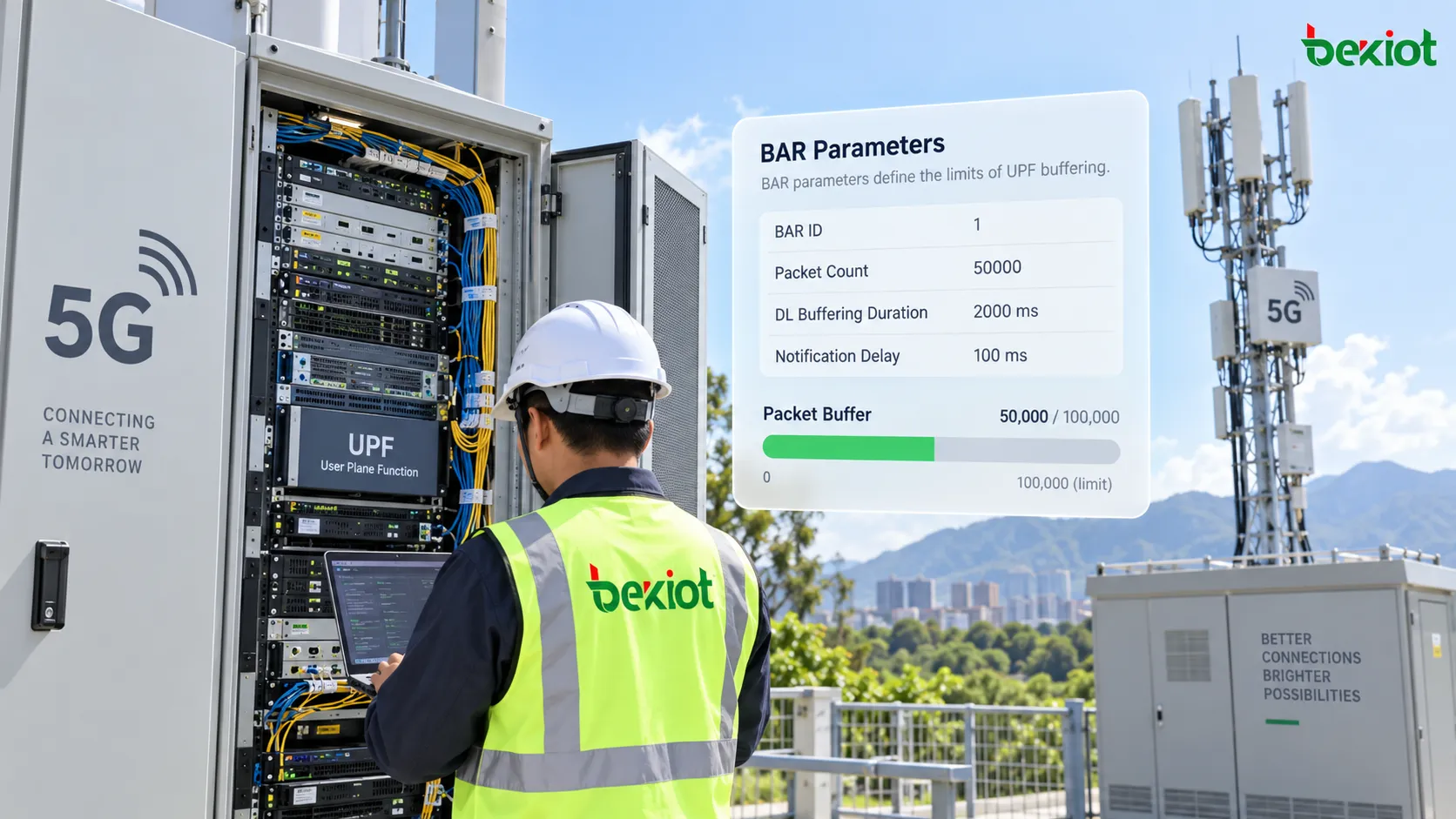
| BAR ID | Identifies BAR within the PFCP Session. A FAR reference selects the buffering instructions associated with that BAR. |
| Suggested Buffering Packets Count | A UDBC-dependent field for suggested UL/DL packet buffering while awaiting new control-plane instructions. It is not a statement of physical UPF memory capacity. When provided, the cited Create/Update BAR tables require packets exceeding the limit to be discarded. |
| DL Buffering Suggested Packet Count | A different field: the maximum number of downlink packets suggested for extended buffering in the PFCP Session. It must not be confused with Suggested Buffering Packets Count. |
| DL Buffering Duration | Controls extended downlink buffering. Provisioning in PFCP Session Report Response depends on DLBD support; provisioning through PFCP Session Modification depends on DBDM support and the applicable conditions. It is not necessarily present during initial establishment. |
| Downlink Data Notification Delay | Delays notification after packet arrival where applicable. Clause 5.2.4 describes its provisioning for EPC; do not assume it is a general 5GC paging-delay control merely because it appears in a generic BAR diagram or decoded grouped IE. |
DL Buffering Duration has a reporting consequence as well as a retention consequence. During the specified extended-buffering period, further downlink-arrival notifications are normally suppressed. With supported Extended DL Buffering Notification Control (EDBNC) and EDBN set to 1, the UPF instead reports the first buffered packet for each QoS flow for a given FAR during that period. NOCP alone therefore does not prove that another report is due.
When extended buffering ends, the UPF stops applying DL Buffering Duration and DL Buffering Suggested Packet Count and removes those parameters from BAR. New control-plane instructions determine whether already buffered packets are forwarded or dropped. Buffering is temporary traffic handling, not guaranteed lossless storage.
Why a trace may not show every buffering parameter
Start with the complete PFCP Session history. BAR may have been created at establishment or in an earlier modification, while the exchange being examined updates only the FAR. Optional and capability-dependent fields also need not appear in every message. An absent optional field is different from an unresolved reference or a missing conditionally required field.
TS 29.244 allows buffering parameters to be optionally provisioned with BUFF. However, a BAR must already have been provisioned, even if empty, and associated with the FARs before it can be modified in a PFCP Session Report Response. Local UPF resource limits cannot replace a BAR ID association or a field that the applicable procedure requires.
A narrower implementation option appears in clause 5.2.4.3: when the UPF supports configured extended buffering for an APN/DNN and/or S-NSSAI, and the other specified conditions apply, the control plane can retain the extended-buffering timer itself instead of provisioning it to the UPF, while keeping NOCP enabled for additional QoS-flow notifications. This is not a blanket exemption allowing every BAR parameter to be replaced by local configuration.
During troubleshooting, obtain the negotiated UP Function Features, earlier BAR provisioning, current rule associations and relevant local resource settings. This separates a normal omitted optional parameter from unsupported feature use, an incomplete capture or a genuine provisioning failure.
Troubleshoot action, buffering, notification and recovery
A delayed first message after inactivity, successful paging with missing initial packets, or growing UPF buffers can have different causes. Follow the packet and its control-plane state through four stages.
1. Confirm the action and matching rule
Verify that downlink packets actually reach the expected UPF and match the correct PDR. Follow its FAR ID, inspect Apply Action, and check the accepted PFCP Session Modification result. If the FAR still forwards toward obsolete access-tunnel information, investigate rule and tunnel updates before adjusting buffering parameters.
2. Identify the effective buffering instructions
Resolve BAR ID and inspect the latest Create BAR or Update BAR in the appropriate message context. Distinguish the two packet-count fields and verify feature support. Correlate configured limits with actual buffered and discarded packets; a suggested count does not reserve physical memory or guarantee that every packet survives until reconnection.
3. Verify the report and its processing
Look for the PFCP Session Report Request, Downlink Data Report, PDR ID and the corresponding response. Check QoS-flow reporting scope, notification suppression, extended buffering and any failure cause. If a report is accepted but no paging follows, examine the SMF-to-AMF exchange and UE reachability conditions instead of assuming BAR is faulty.
4. Verify delivery after recovery
After Service Request succeeds, confirm that the SMF restores FORW and the current access-side address and TEID. Compare N6 arrivals, N3 output and buffer counters. A reachable UE can still miss data if the FAR remains in BUFF, tunnel information is wrong, buffering has expired or packets have already been discarded.
FAQs
Does BUFF require BAR to classify packets?
No. The PDR classifies traffic and the FAR requests BUFF. BAR supplies specific buffering instructions when provisioned and associated; it is not another packet classifier.
Does a missing Suggested Buffering Packets Count prove misconfiguration?
No. That field depends on UDBC support and is distinct from the extended-downlink packet-count field. Check the message context, negotiated features and existing BAR state before judging the omission.
Does every Downlink Data Report cause paging?
No. The SMF and AMF apply reachability, access and policy conditions. A report can lead to user-plane reactivation, extended buffering or failure handling; paging is only one possible part of the procedure.
Why can packets be lost even after successful reconnection?
The buffer may have reached a limit or expired before recovery. Alternatively, the FAR or tunnel update may be incomplete. Successful reconnection alone does not verify the retained packet population or resumed N3 forwarding.
References
3GPP TS 29.244 V18.7.0: clauses 5.2.3–5.2.4, 7.5.2.6, 7.5.4.11, 7.5.8–7.5.9 and 8.2.28–8.2.30, 8.2.100 cover FAR/BAR handling, reporting and buffering information elements.
3GPP TS 23.502 V18.9.0: clause 4.2.3.3 describes Network Triggered Service Request, data notification, reachability exceptions and extended buffering.